Ottermind Update: Trim video after generation, export anywhere
Test environment preview: this sample update demonstrates the updates page. Feature availability is subject to the actual product.
This release brings trimming after a video is generated, a one-click path from a document to multiple platforms, and six ways to export or copy your content. Here is what is new.
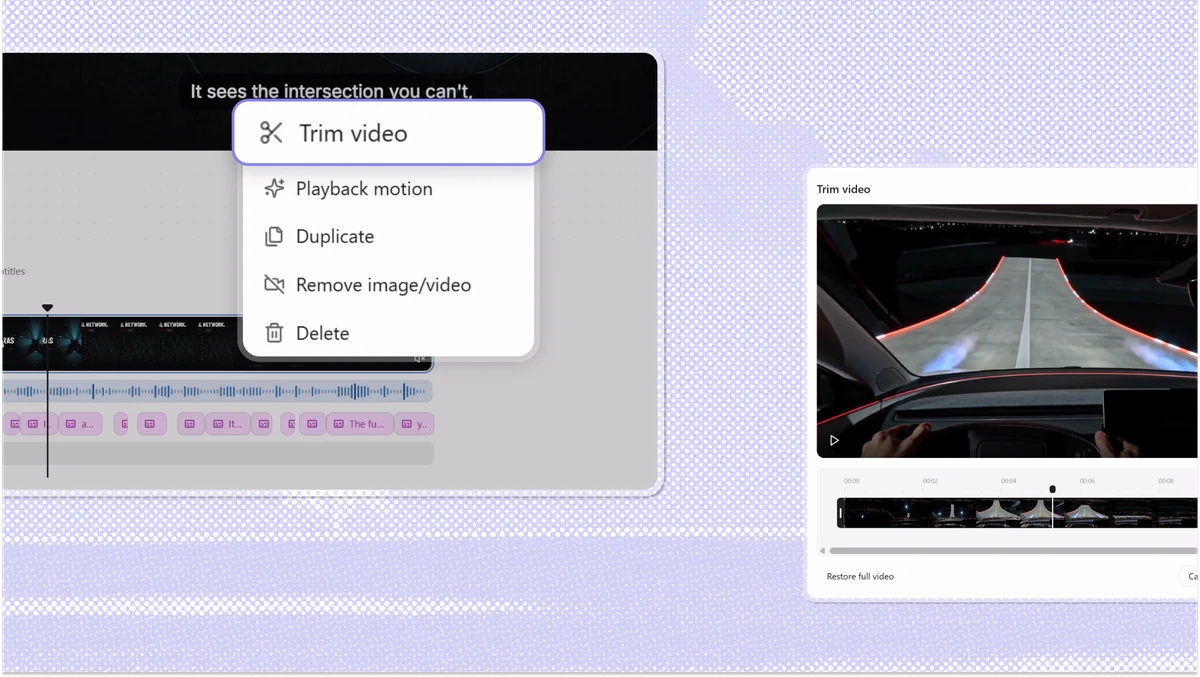
Trim a video after it is generated
Reference screenshot: YouMind. For test-page demonstration only.
Once a video is finished, open its timeline on the canvas, select a clip inside a shot, and choose the stretch you want to keep. There is no need to re-import anything, and no need to rebuild a whole sequence because one shot held for two seconds too long.
A trim saves a range, not a shorter file, so pulling the edges back out restores the original.
One thing to note: when a scene's narration runs longer than its picture, the narration sets the scene's length. Trimming only the picture will not actually shorten that scene.
Every way to export a document
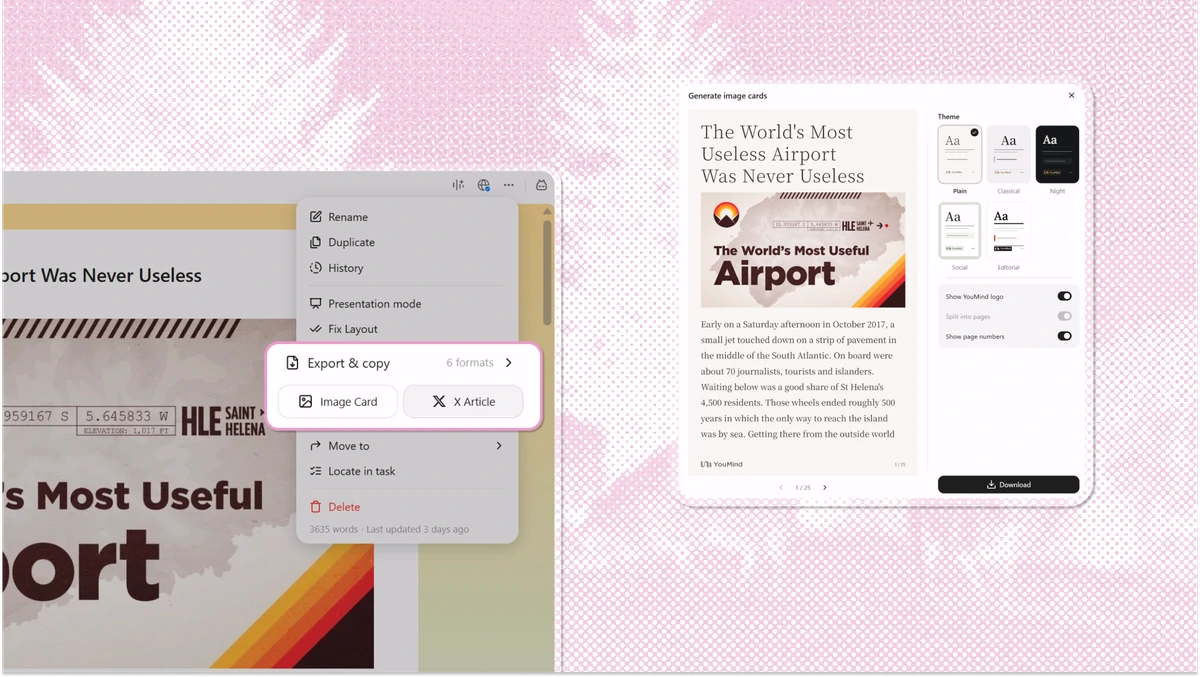
Reference screenshot: YouMind. For test-page demonstration only.
Open the document menu and the other export formats are all here.
Publish as an article: send a document out through a platform connection and it becomes an editable draft, with the title, cover, body and images carried over.
Image card: Ottermind renders the document as a shareable card that keeps its original layout — useful anywhere a link will not get opened.
Export and copy: six formats in total. When you need to keep a file, export to PDF, Word or Markdown. When you just want to carry the content into the next window, copy it as Markdown, Universal or plain text. PDF uses the browser print view, so the text stays selectable and copyable rather than becoming one big image.
Log in and try these updates.