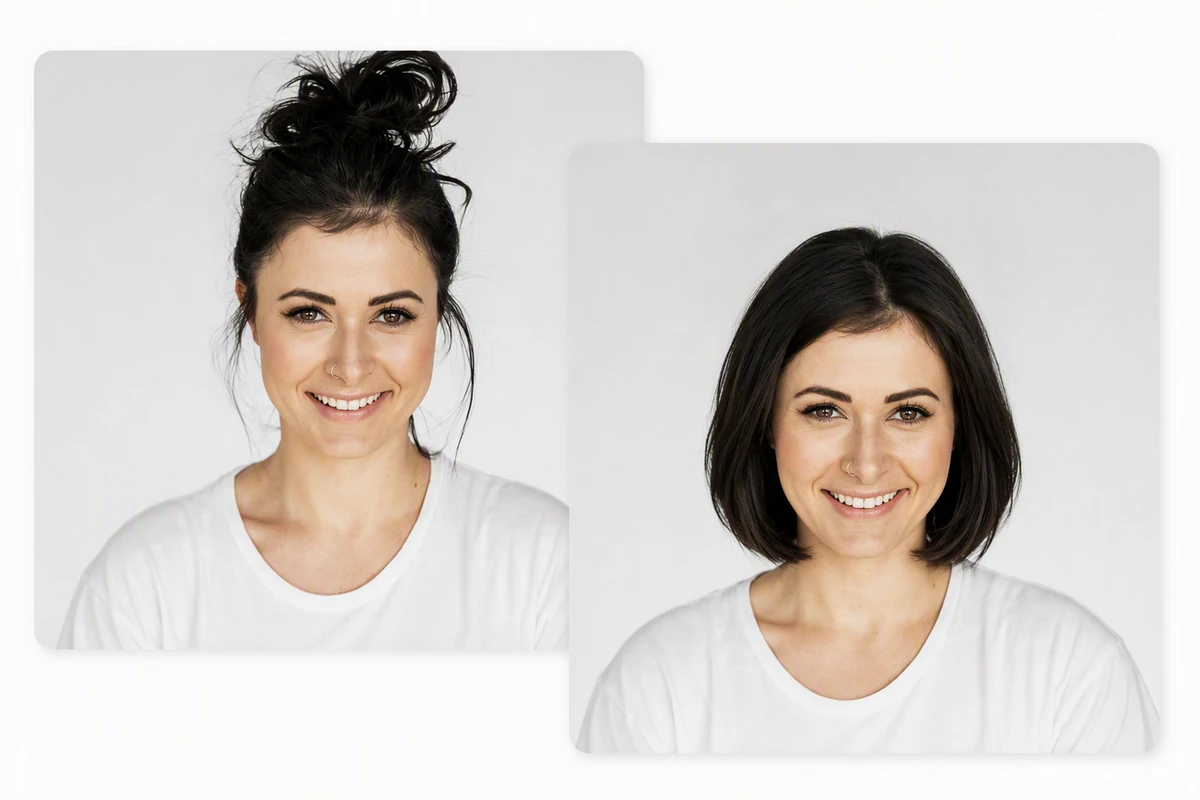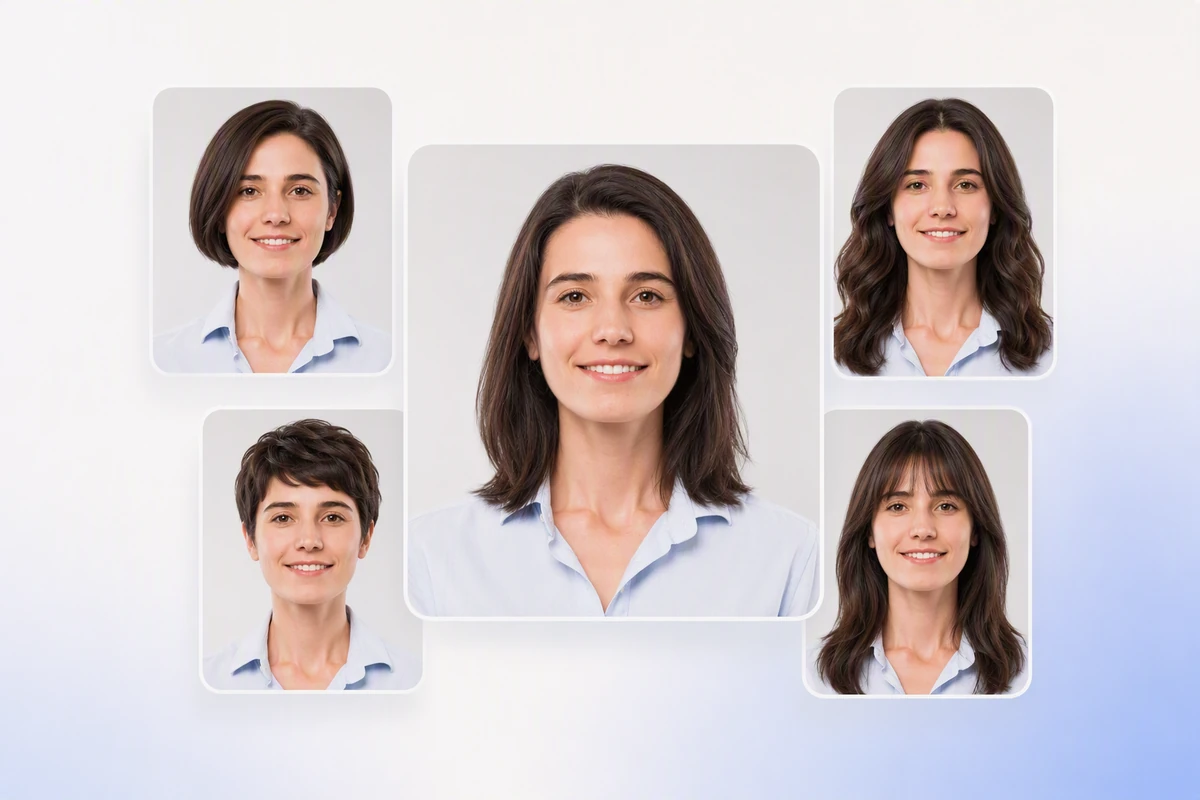







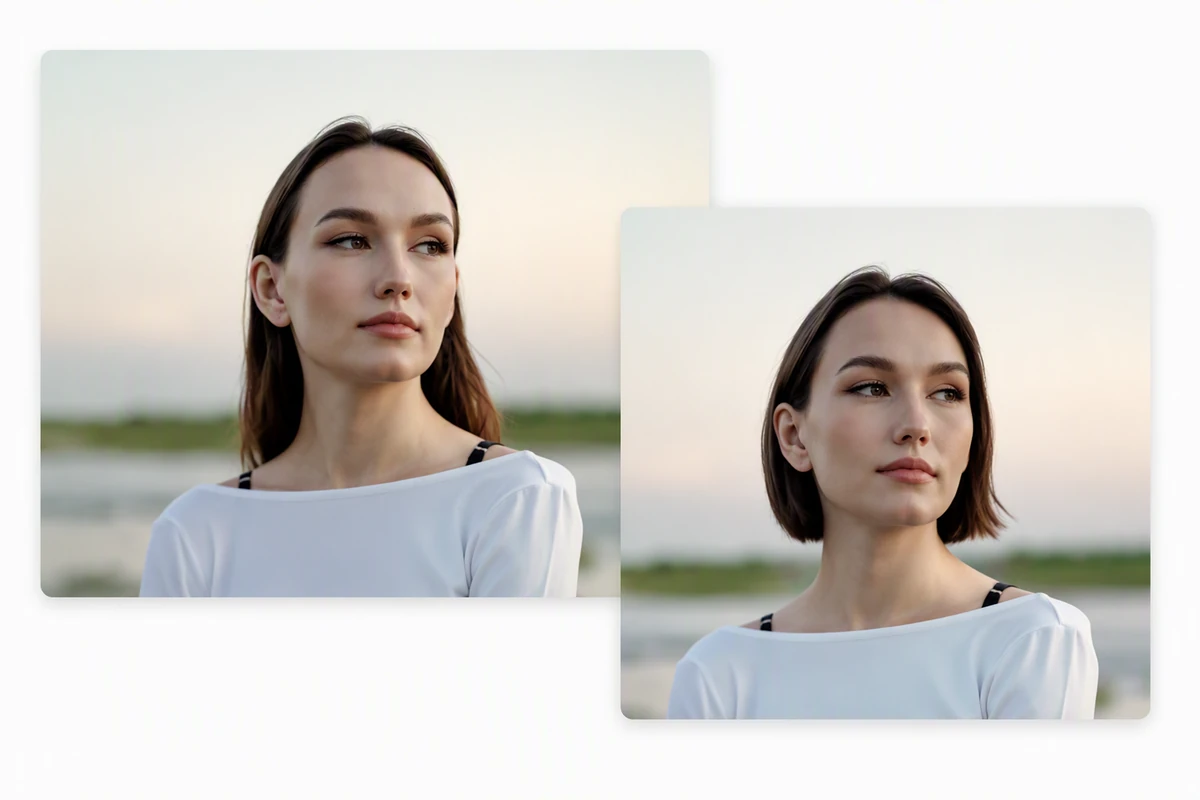
Upload a clear portrait, describe the cut, length, texture, and color you want to compare, then develop realistic hairstyle previews in Ottermind Studio.
Compare the Hair Decision, Not a New Face
An AI Hairstyle Changer helps you compare a new cut on your own face before you commit. Start with a front-facing portrait, keep the face and pose stable, and change one hair decision at a time. Use Image Effects only when you want a broader visual transformation beyond hair.
Change Hair, Not Identity
A useful hairstyle preview should preserve facial features, expression, clothing, camera angle, and lighting while the hair changes. State those constraints, then reject any option that reshapes the face. Repair source softness first with Fix Blurry Pictures so blur is not mistaken for texture.
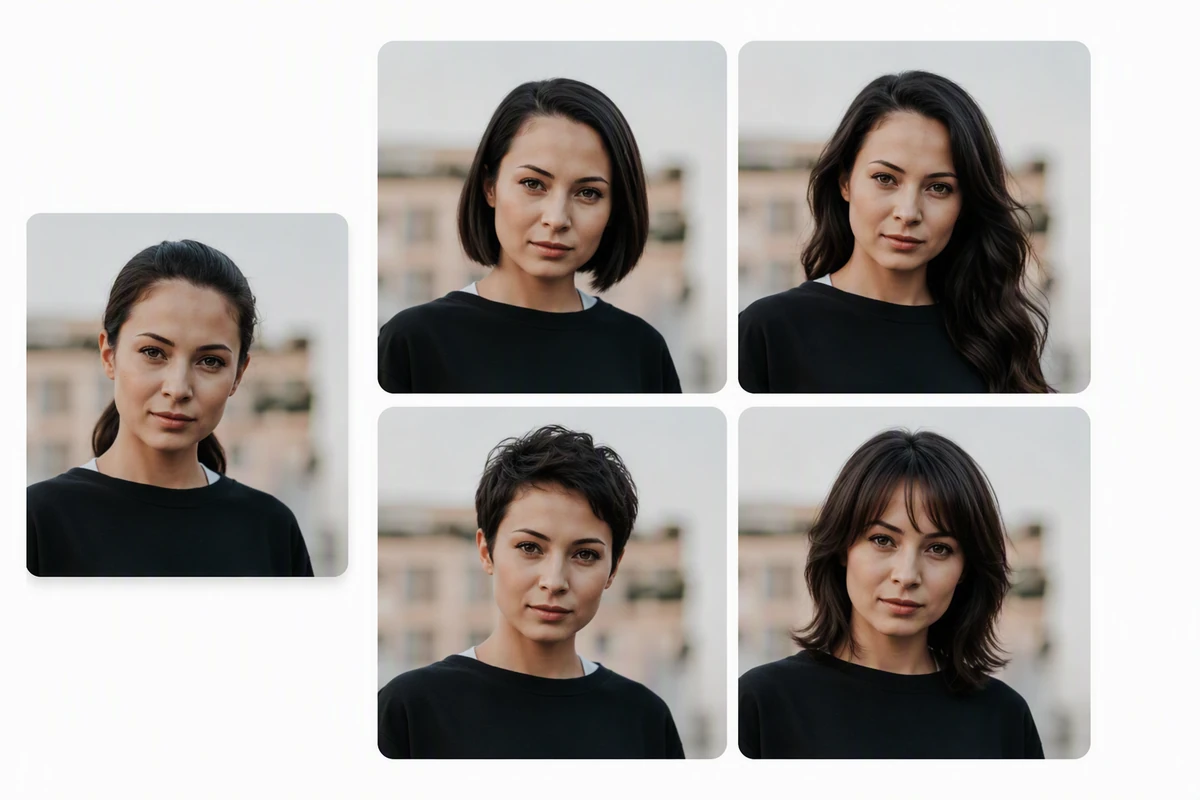
Build a Consistent Shortlist
Generate three to five directions from one source: a bob, long layers, curtain bangs, a pixie cut, or a fade. Keep color constant while comparing shape, then test color separately with Image saturation. Arrange finalists with the Free Online Photo Collage Maker.
Take a Brief to the Salon
Treat each haircut preview as a conversation aid, not a promise of the finished cut. Check length, fringe, volume, face framing, and maintenance against natural texture and growth pattern. Refine the description with the How to Write AI Prompts That Actually Work, then take the clearest option to a stylist.
How to Compare Hairstyles Without Fooling Yourself
Step 01
Choose One Source
Use a sharp, front-facing portrait with even light and visible hairline. Keep this same source for every hairstyle preview so comparisons remain meaningful.
Step 02
Change One Variable
Ask the AI hairstyle changer for one cut while preserving face, pose, color, and lighting. Compare shape first; test color only after choosing a silhouette.
Step 03
Run the Reality Check
Reject identity drift and obvious artifacts. Shortlist the previews that fit your texture, maintenance tolerance, and desired length, then discuss feasibility with a stylist.
Why creators choose Ottermind
Source Context Stays
Keep the portrait, hair goals, protected details, and review notes organized around one project.
Constraints Stay Explicit
Describe the intended cut and the face, pose, lighting, and color that must not change.
Options Stay Comparable
Develop each hairstyle preview from the same source and revise one visual decision at a time.
Work Stays Visible
Inspect agent output, note identity drift or artifacts, and approve critical connected-tool actions yourself.
The Brief Continues
Carry the selected haircut preview and its reasoning into a salon discussion or later creative work.
Fiction Stays Separate
Use AI image generation when you need an invented character rather than a try-on for a real portrait.
FAQ
Which Photo Gives the Best Hairstyle Preview?
Use a sharp, front-facing portrait with even light and space around the head. Avoid obstructions, strong angles, and beauty filters. Keep the same source for every option so differences come from the hairstyle rather than the photograph.
Can an AI Hairstyle Changer Pick My Best Cut?
It can compare directions, but it cannot make the final decision. Judge face framing, length, volume, maintenance, and preference. A stylist can assess what a photo cannot prove, including density, growth pattern, damage, and how your texture behaves.
How Do I Keep My Face Consistent?
Name protected details: facial features, expression, pose, camera angle, clothing, background, and lighting. Request only the hair change, compare it with the source, and reject identity drift. Start a clean variation so one haircut does not influence the next.
Will the Preview Match a Real Haircut Exactly?
No. Treat the output as a visual brief, not a guarantee. Texture, density, curl shrinkage, cowlicks, chemical history, styling, and maintenance can change the real result. Show the preview to a qualified stylist and ask what your current hair can achieve.
Should I Compare Cut and Color Together?
Compare silhouette while keeping your current color, then test color on the strongest cut. Changing length, fringe, texture, volume, and shade together hides what improved the look. Save a small, consistent shortlist instead of unrelated transformations.
Can I Reuse an Approved Hairstyle Image?
Yes, after checking identity, crop, and artifacts. Keep it as a salon reference, compare finalists, or use Image to Video for a separate motion concept. Preserve the approved face and hairstyle direction in later creative work.
I uploaded my lecture notes before an exam and asked for a simple study guide. It pulled the main ideas together and gave me a much clearer place to start reviewing.
Jamie Lee - University Student
I had several household bills that I kept putting off sorting. Uploading them together helped me understand what each charge was for and what I needed to follow up on.
Rachel Adams - Parent
I used it to compare my resume with a job description. The feedback was straightforward and helped me spot the experience I had not explained clearly enough.
Marcus Hill - Job Seeker
School notices used to get buried in my downloads folder. Now I can upload one, ask what matters, and quickly note the dates and things my child needs to bring.
Sophie Turner - Working Parent
When a client sends a long brief, I upload it and ask for the goals, deliverables, and open questions. It saves me from rereading the same document before every call.
Daniel Kim - Freelance Designer
I compared supplier quotes without building another spreadsheet. It gave me a quick summary of the price differences and the terms I should double-check.
Priya Shah - Small Business Owner
Long research papers are easier to approach when I can ask about one section at a time. I still read the source, but I know where to focus my attention first.
Alex Morgan - Graduate Researcher
After meetings, I upload the notes and ask for decisions and next steps. The result is short enough to share with the team and easy for everyone to check.
Emma Brooks - Project Coordinator
I uploaded my lecture notes before an exam and asked for a simple study guide. It pulled the main ideas together and gave me a much clearer place to start reviewing.
Bring one clear portrait, your protected details, and a specific cut direction into Studio, then review each AI hairstyle changer result before choosing a salon reference.